
UppSales features for sales agents and agencies
What the app does, from preparing your data to the sent order. Features marked as a module are switched on with your subscription.
Interactive PDF catalog
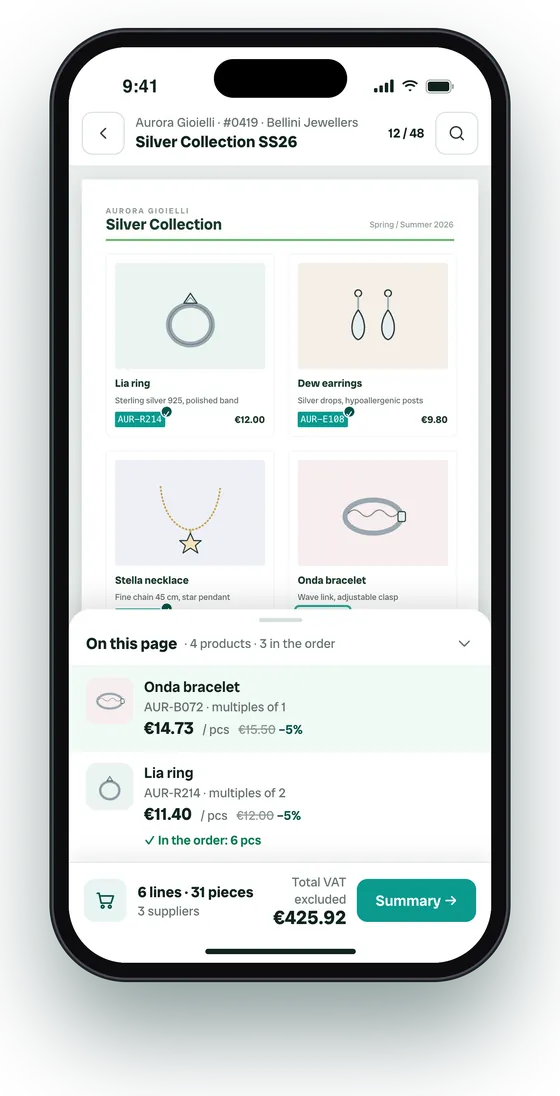
Each supplier can have one or more PDF catalogs. When you upload a file, the server reads the text on its pages, finds that supplier's product codes and makes them clickable; you get a notification when it's done. Choose whether the code must match exactly or only by its start (useful for families and variants) and the minimum length, and see the list of unmatched codes. From a product's detail you see which catalogs and pages it appears in. The number of catalogs and storage depend on your plan.
- Tap a code and the product goes into the order, with “Undo”
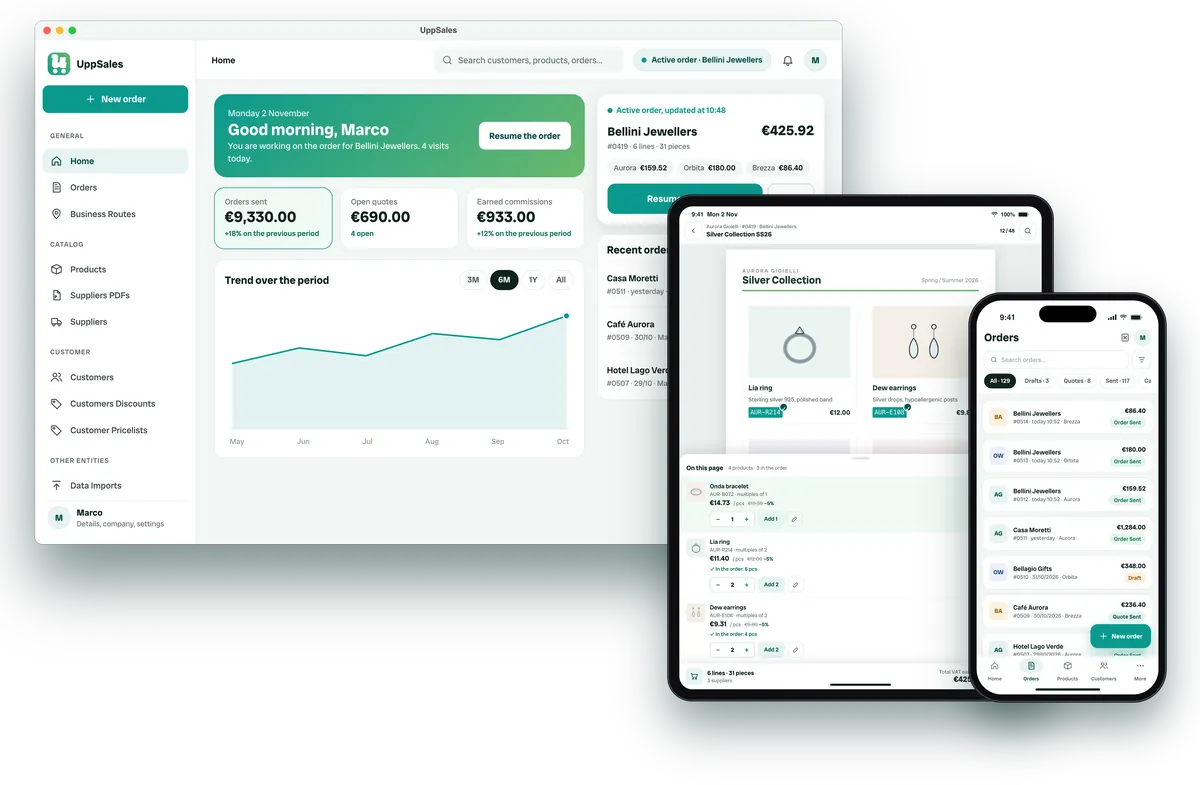
- “On this page” list with the products on the open page
- Every supplier's catalogs available from the order
Works with PDFs where codes are readable text and match your product codes.
Multi-supplier order
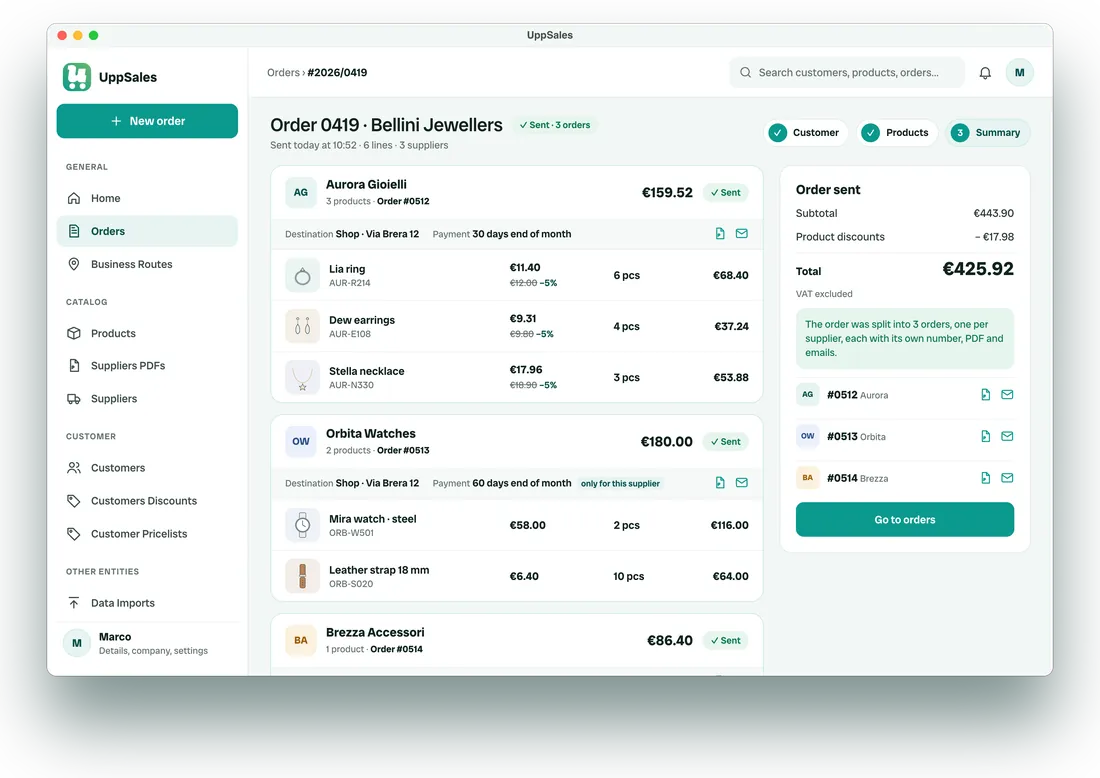
You don't pick the supplier first: start from the customer and add products from any supplier. The order bar shows the total and the subtotals per supplier. In the summary you can give one supplier a different delivery address, payment, closing discount and notes. When you send, each supplier receives an order with its own number and PDF; the customer receives a single quote if you choose “Send quote”.
- Sending succeeds for every supplier or for none
- Each supplier receives only its products and terms
Price lists, discounts and customer prices
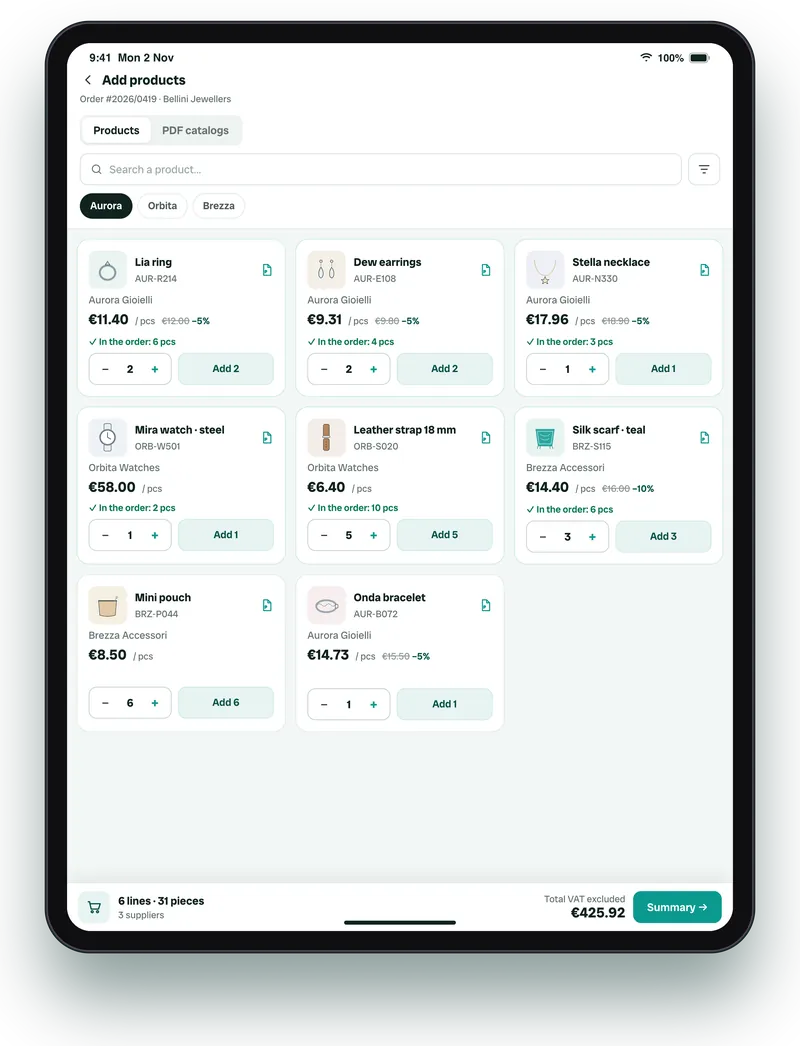
The server looks up the price and the discount separately. Price: first the fixed price for that customer and product, then the price lists assigned to the customer, then the standard price. Discount, from most to least specific: customer and product, customer and category (going up to parent categories), customer and supplier, the customer's price lists, the product's standard discounts. Each rule can have a minimum and maximum quantity; discounts apply in cascade, up to 5 per line.
- In the product detail, “How it is calculated” shows the rule used
- In the catalog the “Customer discounts and prices” filter shows only products with dedicated terms
Orders, quotes and documents
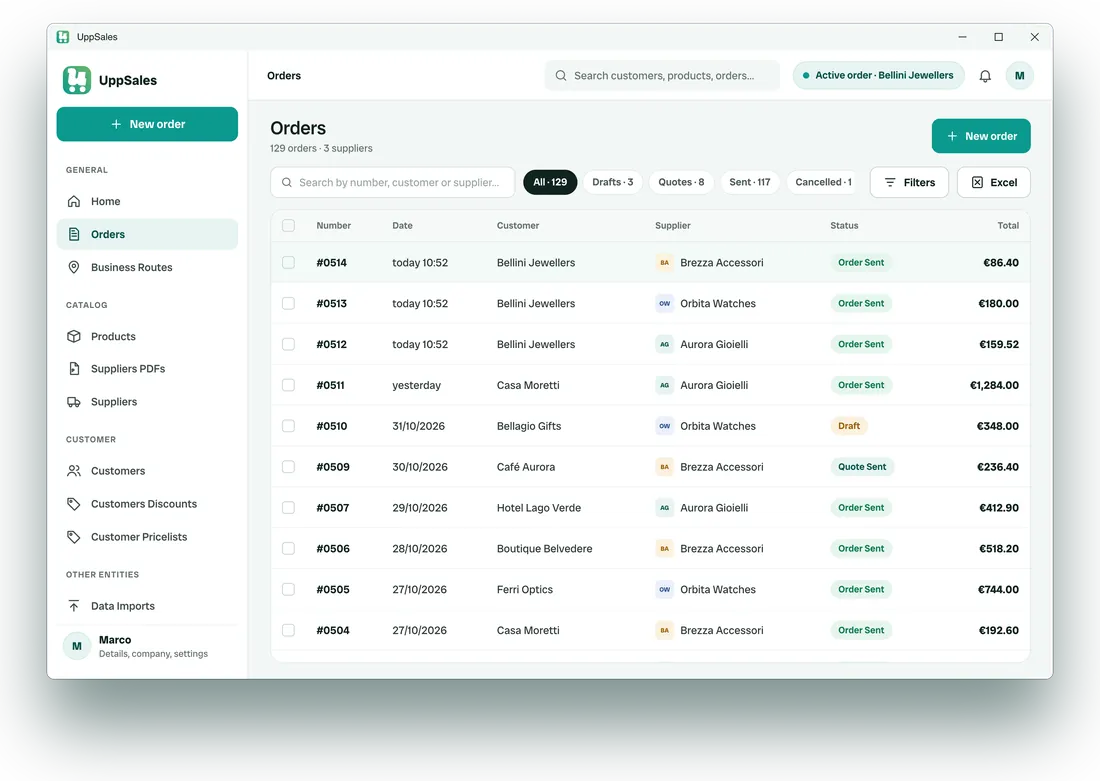
Each line has quantity (respecting minimum and pack size), free pieces, price, up to 5 discounts, VAT, excise, expected delivery and notes. When you send, the server builds a PDF with product images and emails it: the order to the supplier and the customer, the quote to the customer, always with a copy to you; replies come to your address. If an email fails, resend it from the order. Orders can be duplicated and exported to Excel.
- The admin sets, for the whole company, the logo and footer text of the PDF, decimals and whether to hide discounts in the customer's PDF
- Up to 10 copy addresses, with a preview before sending
Excel import and export
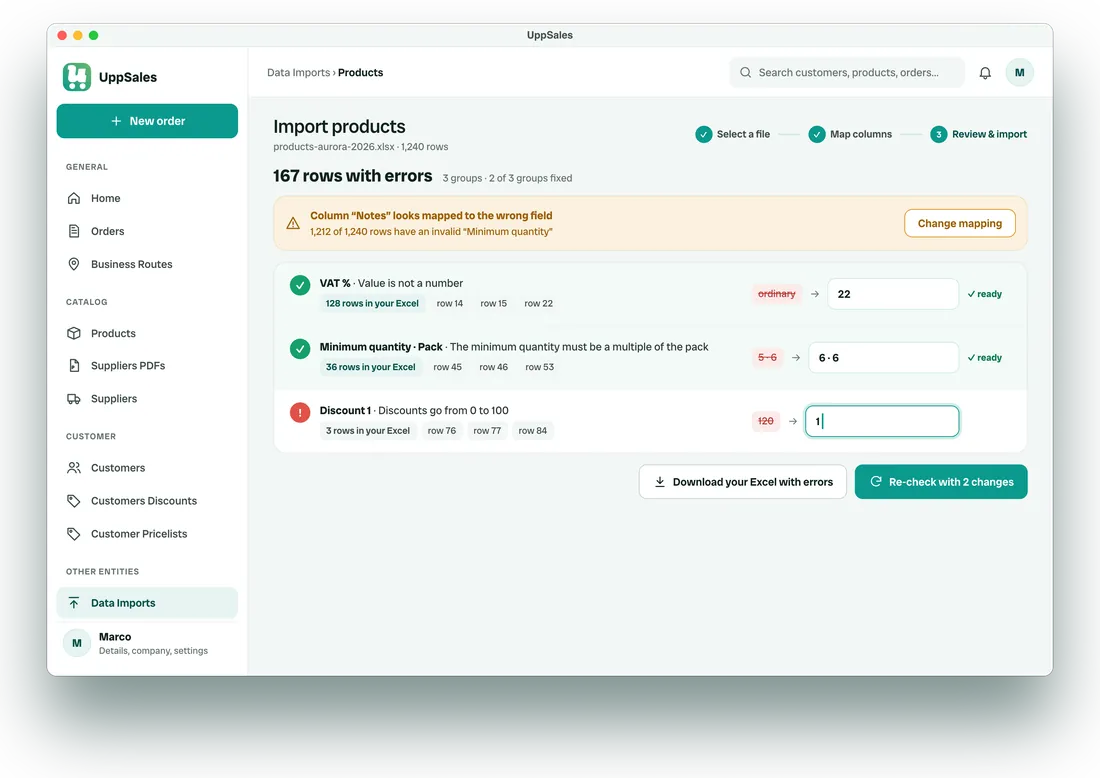
You can import products, customers, suppliers, categories, price lists and price list rows, customer discounts, customer price lists, commissions, addresses, payment terms and agent-supplier assignments. For each type you can download a template. With your own file, the app matches columns by name (Italian and English synonyms included) and asks you to confirm; prices, discounts, quantities and VAT numbers are never matched by similarity. The mapping can be saved. The final report counts new, updated, unchanged, deleted and failed rows, and can be downloaded with the file.
- Errors are grouped by column and value: fix each group once, re-check and download the corrected Excel
- Product images in bulk from a ZIP file
Visit routes (module)
A route has a name, date, time and starting point (current location, address or a point on the map). The stops are your customers, with opening hours, visit length and notes. The app reorders the stops using road travel times when available, estimates arrival and departure and flags arrivals outside opening hours; you can change the order by hand. During the route you mark stops as visited or skipped, navigate with Google Maps and start the order from the stop. Report and dashboard show visits, orders, revenue, conversion and customers to see again.
Agents, permissions and assignments
The admin creates agent accounts and decides, for each one, whether they can edit records, change prices or discounts in orders and use visit routes. Assigning a supplier to one or more agents hides it from the others; a customer assigned to an agent can only be ordered by that agent. Commissions are set by product, category or supplier, with a discount threshold beyond which they change.
Home, search and notifications
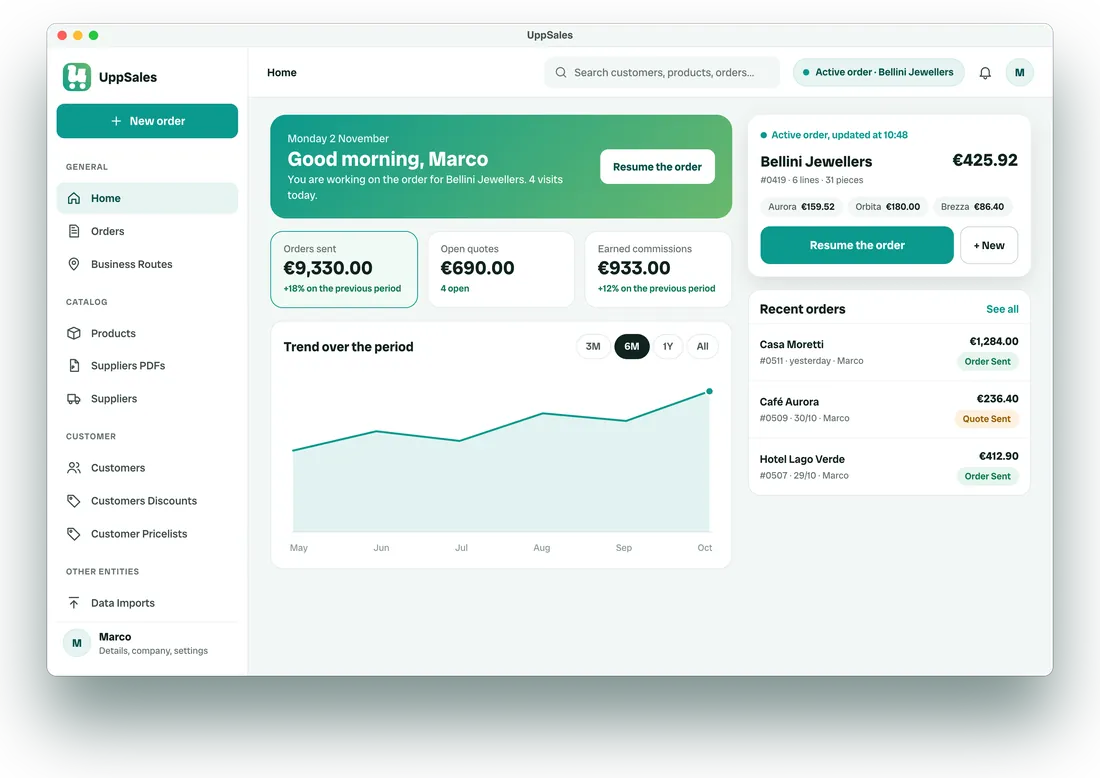
The home shows the active order to resume, today's route, drafts idle for more than 7 days and the trend of sent orders, open quotes and commissions against the previous period. From the top bar you search customers, products and orders. When an import or a PDF finishes processing you get an in-app notification.
Devices and access
The same app runs on iPhone and iPad (iOS 16 or later), Android 8.0 or later, Mac (macOS 13 or later), Windows and in the browser at platform.uppsales.io. Data lives on the server: sign in with the same account from any device, one session at a time. An internet connection is required.
What changes with UppSales
| Task | Without UppSales | With UppSales |
|---|---|---|
| Order during the visit | Notes to retype in the evening | Order built and sent from the app during the visit |
| Customer's price | Price list and discounts looked up and worked out by hand | Net price shown on every product |
| PDF catalog | Code copied from the PDF to the form | Tap on the code in the PDF |
| Paper catalog | Codes written by hand | Product searched by name or code in the app |
| Several suppliers | One form and one email per supplier | One order, split automatically on sending |
| New price list | File sent to every agent | Excel re-imported once, the same for the whole team |
| Reorder | Order rewritten from scratch | Previous order duplicated and edited |